How to Build Your Vacation Rental Team | A Complete Guide


Key Takeaways
A strong vacation rental team needs clear roles, well-defined permissions, and reliable employee scheduling software to stay organized, especially for remote property managers.
Tools like TIDY, Properly, Cleanster and Operto Teams automate cleanings, maintenance and task scheduling, helping reduce labor costs and increase accountability.
Using access control ensures every team member only sees what they need, protecting sensitive guest and financial data.
Automation and mobile apps simplify everything from time tracking to task reminders, letting you run your business efficiently from anywhere.
With Hostaway as your central hub, you can manage, automate and scale your team operations confidently while maintaining consistency across every property.
Managing a vacation rental business today is a lot like running a small hotel, except you might be doing it all from your laptop hundreds of miles away. Between guest communication, turnovers and maintenance, it takes more than good instincts to keep operations running smoothly. That’s where building the right team and using the right tools makes all the difference.
Here’s the thing: even the most dedicated team members for vacation rental operations need structure. You can’t manage cleaners, handymen or guest service agents effectively without clear roles, scheduling tools and real-time communication. And if you’re working remotely, automation and employee scheduling software aren’t just helpful, they’re essential for staying organized and reducing manual work.
In this guide, we’ll walk through how to build, manage and automate your vacation rental team from anywhere. You’ll learn how to assign roles and permissions, set up mobile workflows, use scheduling apps to track hours and approve time off requests and create a system that practically runs itself. Whether you manage one property or a whole portfolio, these strategies will help you streamline your workflow, cut down labor costs and boost overall efficiency.
Who Should Be on Your Vacation Rental Team (and What Do They Do)?
Running a successful vacation rental business takes more than great guest reviews, it takes a dependable team. Whether you manage a single property or a network of listings, your staffing needs will shape how smooth your daily operations run. The goal is to create a structure that gives every team member clear responsibilities and accountability, even if you’re managing from afar.
Here’s a look at the key roles that make up an effective remote workforce management setup:
1. Property manager
The decision-maker, the person who oversees everything from bookings to budgets. A remote property manager relies heavily on employee scheduling software and automated tools to coordinate work schedules, monitor employee hours and maintain oversight if they are unable to be physically present.
2. Cleaners and maintenance staff
These are your boots on the ground. They handle turnovers, upkeep and urgent repairs. Their work schedules need to be consistent and easy to follow, which is where using a scheduling app with shift templates or recurring shifts helps. A good system lets you assign shifts, track attendance data and ensure no scheduling conflicts occur.
3. Guest communication and operations support
These roles can be remote or part-time, depending on your business needs. They manage guest messages, coordinate check-ins and keep track of time-sensitive updates. With tools that offer in app chat and real-time access, communication becomes seamless, especially when everyone is working across different time zones.
4. Accountant or bookkeeper
They manage payroll processing, reconcile payments and ensure labor costs stay in check. Many remote property managers now use PMS integrations with payroll systems or time tracking software to automate the financial side of operations.
5. Marketing and content support
Even if it’s a freelancer or virtual assistant, having someone to handle your online listings, guest reviews and social media presence saves you hours of manual work each week.
Pro Tip: If you’re using Hostaway, you can create individual user profiles for each team member. Through access control settings, you decide who can see reservations, financial data or guest contact details. This level of control is vital when managing remotely, especially if your IT administrator or marketing staff needs partial access without full system visibility.

How to Assign Employee Roles, Permissions and Access Control
Once your team is in place, the next step is making sure everyone has access to exactly what they need and nothing more. Good access control isn’t just about security, it’s about keeping your workflow and scheduling process efficient, especially when you’re managing remotely.
A strong system helps you create employee schedules, assign tasks and monitor activity without constantly checking in. This is where your employee scheduling software and scheduling tools come into play. The right setup lets you divide responsibilities clearly, track employee hours and ensure your business requirements are met no matter where your team works.
Set clear roles and permissions
If you’re using Hostaway, you can provide employees with their own logins for the mobile app. Each team member can be given unique permissions, for example:
Cleaners can view and update their assigned work schedules and mark tasks complete.
Maintenance staff can upload photos or notes from their mobile devices.
Guest communication staff can reply to inquiries but not access financial data.
Through access control settings, you decide which listings, reservations and reports each person can see. That means even if you have an IT administrator, they’ll only have access to what’s relevant to their role.
Use mobile access and real-time tracking
Because most property managers work remotely, mobile access is non-negotiable. With the Hostaway mobile app, each team member can log in from their phone or tablet to check work schedules, task updates or new assignments.
This kind of real-time access eliminates confusion and scheduling conflicts. Plus, with features like push notifications and shift reminders, your staff always know when they have an open shift or upcoming task.
If you’re using multiple tools, look for ones with strong integration capabilities, so your employee scheduling app, task management system and time tracking software all stay in sync.
Monitor hours and availability transparently
Modern employee scheduling platforms go beyond basic scheduling. Many now include attendance tracking, employee time clock features and time tracking options. These tools let you compare scheduled vs. actual hours, ensuring you’re not overspending on labor costs or missing coverage.
Encourage staff to update their availability preferences so you can create schedules that fit both their needs and your business needs. This reduces burnout, prevents shift changes at the last minute and keeps morale high.
Automate to enhance efficiency
To save time, look for scheduling tools that include an auto-scheduling feature or a drag-and-drop interface. These advanced features can automatically assign shifts, create weekly shift templates and fill available shifts based on employee availability.
The goal here isn’t to micromanage but to free up your time for strategy and growth. Automation simplifies workforce management, keeps data reviewed regularly and supports compliance with labor laws.
With permissions and scheduling structures in place, your next priority is managing your team’s day-to-day operations, especially when everyone’s working remotely. That’s where mobile workflow automation comes in.
How to Manage Remote Staff and Mobile Workflows
When you’re managing your vacation rental team from another city or another country, the way your staff communicates and completes daily tasks has to be simple, trackable and reliable. That’s where a mix of clear structure, employee scheduling software and mobile apps comes in. These tools make it easy to stay on top of your team’s activity without adding more manual steps to your day.
Keep everyone connected through mobile workflows
For cleaners, maintenance staff and guest support teams, mobile connectivity is the backbone of remote coordination. With a good employee scheduling app, each team member can check updates, confirm assignments and see new messages while they’re on the move.
Look for platforms that include features like push notifications, attendance tracking and scheduling tools built for the hospitality industry. This ensures your entire workforce management process runs smoothly, every cleaner knows when they’re needed, every repair tech logs progress and you get instant visibility into what’s happening across properties.
Reduce labor costs and avoid scheduling conflicts
Even the most organized manager can run into problems if shift scheduling isn’t automated. When done manually, you risk scheduling conflicts, missed cleanings and inefficient labor costs.
Modern employee scheduling software takes care of that. It allows you to create schedules, manage shift templates and update the scheduling process from anywhere. You can also review employee availability before confirming shifts, which helps balance workloads and prevent overtime.
If you’re using Hostaway, the mobile app keeps this in sync with your reservations calendar, so if a booking changes, your team’s schedule adjusts automatically.
Use data to track attendance and performance
Whether your staff works full-time or by the job, visibility is everything. Employee time clocks and time tracking features inside your scheduling tools make it easy to compare planned versus worked hours. You can spot where you’re losing efficiency and fine-tune your team structure accordingly.
Over time, reviewing this data helps you identify trends, like which team member consistently finishes early or which listings require more cleaning hours, so you can make informed decisions about coverage and business needs.
Automate and integrate for real-time oversight
Using automated tools for scheduling and workforce management means less guesswork and fewer emails. The best mobile apps now integrate with payroll systems, HR tools and PMS platforms like Hostaway, creating one connected workflow.
These integrations help you handle time off requests, leave requests and even manage overtime from a single dashboard. Everything is reviewed regularly, so compliance with labor laws becomes easier and more transparent.
Managing your team remotely doesn’t have to feel like a juggling act. With the right combination of employee scheduling, automation and smart integrations, you can stay connected to your operations in real time, without being physically present.
How to Schedule and Track Employee Hours Remotely
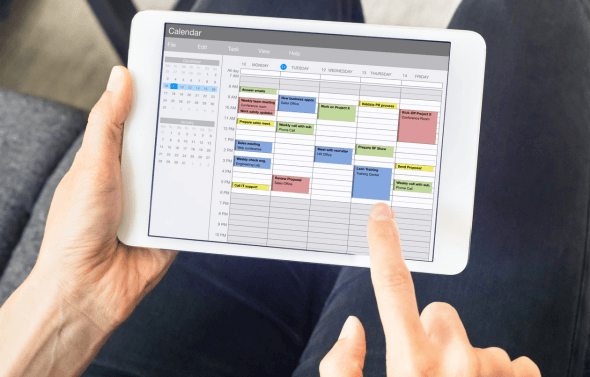
When your team is spread across properties or even time zones, keeping track of shifts and availability can get messy fast. That’s why smart employee scheduling software is a must-have for any remote property manager. It helps you create employee schedules, track attendance and manage shifts without drowning in spreadsheets or endless messages.
Use employee scheduling apps to simplify operations
Modern employee scheduling apps are designed for people managing multiple properties and part-time staff. They make it simple to create schedules, view staff availability and handle unexpected shift scheduling changes in seconds.
With Hostaway and similar scheduling tools, you can automate your scheduling process, so new tasks or bookings trigger automatic assignments. These systems reduce errors, prevent double bookings and keep everyone aligned.
Most tools now include schedule management dashboards, where each team member can see their upcoming shifts, swap shifts with coworkers or request time off, all from their phones. This kind of flexibility not only helps balance workloads but also minimizes labor costs.
Avoid conflicts and improve communication
When you’re managing remotely, clear communication is your best defense against chaos. Automated employee scheduling tools flag scheduling conflicts instantly, so you can adjust in real time before they turn into missed cleanings or frustrated guests.
Look for apps with built-in messaging or in-app notifications, so your cleaners and maintenance staff always know when a schedule changes. Some even let staff trade shifts or swap shifts directly through the platform, no long message threads required.
Integrate time tracking and compliance
Reliable employee scheduling software does more than set shifts, it also keeps you compliant. Integrated time tracking features let you compare planned vs. worked hours, helping you stay on top of labor laws and avoid overtime disputes.
If you’re using multiple tools, integrations with payroll systems or HR tools streamline everything from timecards to payments. You can even automate compliance tracking to ensure every staff member’s schedule fits your local and business rules.
Choose the right plan for your business needs
The best scheduling platforms offer flexible pricing, usually starting with free plans that include basic scheduling and moving up to paid plans with advanced automation and reporting.
If you’re just getting started, test a few free tools to see which interface feels most intuitive. Some offer free plans with features like shift templates, auto-scheduling and access for your IT administrator to customize settings. For growing teams, premium plans often unlock integrations and reporting options that simplify scale.
Scheduling tools for remote property managers
Feature | Why it matters | Benefit |
Auto-scheduling | Automatically fills shifts based on employee availability | Reduces labor costs and avoids under/overstaffing |
Shift templates | Lets you reuse weekly or daily schedules | Saves time and supports predictable routines |
Time tracking & time clock | Records worked hours vs. scheduled hours | Helps ensure compliance tracking and accurate payroll systems |
Shift swapping & trade shifts | Allows team flexibility | Reduces last-minute scheduling conflicts |
Integration with HR tools | Connects payroll, attendance and scheduling data | Centralizes workforce management |
Paid plans & free plans | Scales with your business requirements | Test free versions before committing to premium plans |
Pro Tip: To keep things running smoothly, encourage your staff to regularly update their employee availability inside your scheduling app. When everyone’s input is reviewed periodically, your system can automatically create employee schedules that match both personal preferences and operational needs. This simple habit saves time, prevents missed shifts and helps maintain consistent coverage.
How to Handle Time Off Requests, Availability and Overtime Online
Managing time off requests gets tricky when your team works across different properties or time zones. The easiest way to stay organized is to handle everything through your employee scheduling software. Most modern scheduling tools let staff request time off directly from the mobile app and you can handle time off requests or manage overtime from the same dashboard.
Encourage every team member to keep their employee availability updated so you can create schedules without running into scheduling conflicts. This keeps your workforce management balanced and helps you stay compliant with labor laws.
If you’re using Hostaway, you can sync your task calendar with your team’s employee scheduling app, so when someone takes leave, their assignments automatically shift to another available cleaner or maintenance worker. It’s a simple but powerful way to maintain coverage without overloading staff or increasing labor costs.
The Best Scheduling Tools for Remote Property Managers
When your staff works across multiple properties, reliable employee scheduling software becomes your second pair of hands. These scheduling tools help you coordinate cleaners, maintenance staff and support teams, while keeping labor costs under control.
The following app, available in the Hostaway Marketplace, integrate directly with Hostaway, letting you automate schedules, track progress and manage your team members from anywhere.
TIDY
TIDY is all about turnover automation. It syncs with your Hostaway listings and reservations, automatically schedules cleanings between stays and updates the cleanliness status in real time. You can set it once and let it handle cleanings for every check-out.
It’s especially useful for remote property managers who want consistent, hands-off schedule management and fewer manual reminders.
Properly
Properly helps you manage housekeeping and maintenance tasks through visual checklists, photos and step-by-step workflows. You can assign jobs, monitor completion quality and maintain operational consistency even if you’re managing from another country.
It’s great for teams that value structured processes and clear task visibility, something every employee scheduling app should offer.
Cleanster
Cleanster connects you to professional cleaners directly through a mobile app. It’s ideal for property managers without an in-house cleaning crew. You can post cleaning jobs, monitor completion and allow cleaners to swap shifts when needed, maintaining flexibility while keeping coverage tight.
Operto Teams
Operto Teams is a comprehensive employee scheduling app designed for scale. It combines auto scheduling, time tracking and permission-based task management, all accessible in one interface. It’s particularly effective for managers juggling large portfolios or rotating maintenance teams.
Scheduling tools and their core functionalities
Tool | Core functionalities |
TIDY | - Automated turnover scheduling - Hostaway sync for real-time updates - Job acceptance and status tracking |
Properly | - Visual task checklists and SOPs - Photo verification for remote QA - Maintenance and housekeeping scheduling |
Cleanster | - Cleaner sourcing and scheduling - Mobile job management - Shift swapping and flexible assignments |
Operto Teams | - Auto scheduling and time tracking - Role-based access control - Multi-property workforce coordination |
Most of these tools offer free trials or free plans, so you can test what fits your business requirements before upgrading to paid plans or premium plans. If your staffing needs are simple, start with TIDY or Cleanster. For large-scale team coordination, Operto Teams is built to handle the complexity.
How to Manage and Automate Your Vacation Rental Team with Hostaway
By now, you’ve seen how much smoother operations become when you combine clear systems with the right tech. Hostaway brings those ideas together in one platform, giving remote property managers everything they need to run teams efficiently, from anywhere.
With Hostaway, you can create unique logins for each team member, set access control to limit what they see or edit and use the mobile app to manage communication and progress in real time. Your cleaners, maintenance staff or contractors can update task statuses directly from the app, while you stay focused on strategy instead of day-to-day coordination.
Hostaway also integrates with trusted employee scheduling apps like TIDY, Properly, Cleanster and Operto Teams, meaning all your cleaning schedules, checklists and updates stay synced with your reservation calendar. This alignment helps reduce labor costs, keeps operations transparent and eliminates scheduling surprises.
As your business scales, you can connect automated tools for time tracking, task reminders and schedule management, all within the same dashboard. Whether you’re managing one listing or hundreds, Hostaway makes it easy to streamline your staffing needs without juggling multiple logins or systems.
In short, it’s the ultimate companion for remote managers who want control, automation and peace of mind in one place.
Why Building the Right Vacation Rental Team Matters for Long-Term Success
A well-structured team isn’t just a convenience, it’s the foundation of a thriving vacation rental business. When you combine skilled team members with smart employee scheduling software and automated tools, you gain consistency, clarity and freedom to focus on growth instead of micromanagement.
For remote property managers, the key is balance. You want systems that simplify schedule management, reduce labor costs and keep everyone accountable without constant oversight. Platforms like Hostaway make that possible by connecting your people, tools and operations in one streamlined workflow.
The takeaway? With the right structure and software in place, you can manage your properties confidently, from anywhere in the world, knowing every guest check-in, cleaning and repair is handled on time. That’s what turns short-term rentals into a sustainable, scalable business.
Frequently Asked Questions
1. What’s the difference between team automation and team management in vacation rentals?
Team management is about assigning roles, tracking progress and communication. Team automation uses tools and workflows to make those processes happen automatically, like assigning cleaners after check-out or updating booking calendars without manual input.
2. How can small property managers start automating without investing in expensive software?
Begin with free plans or free versions of scheduling and cleaning apps that integrate with your existing PMS. As your portfolio grows, you can upgrade to paid plans or premium plans for advanced automation and reporting.
3. How do I decide which staff should have direct system access?
Only provide employees with access relevant to their role. For example, cleaners need task lists and calendar visibility, but not guest contact or payment data. Using access control in tools like Hostaway keeps operations secure and organized.
4. How often should staff schedules and permissions be reviewed?
Ideally, every quarter or whenever there’s a major change in your property portfolio. Schedules and roles should be reviewed regularly to reflect new staffing needs, seasonal demand or operational changes.
5. Are there risks to relying too much on automation for vacation rental teams?
Automation streamlines operations, but it shouldn’t replace oversight. Regularly check that your employee scheduling software and automated tools are working as intended. Always keep a manual fallback for emergencies like a cleaner calling in sick or a system outage.
6. How do I ensure my remote team stays engaged when everything’s automated?
Transparency and recognition go a long way. Use your PMS and mobile apps to keep communication open, track progress and celebrate wins. Automation handles the tasks, engagement keeps the people motivated.
Ready to find out how Hostaway can transform your business?