Which Automation Tools Improve Coordination Among Cleaning Teams Across Properties?
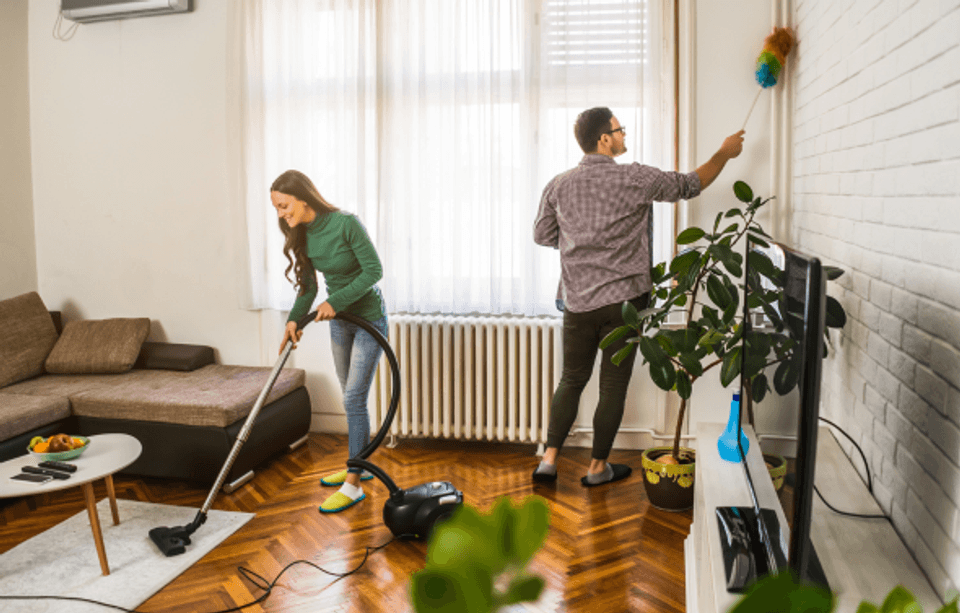

Managing cleaning across multiple vacation rental properties gets harder fast. At three units, a WhatsApp group and a shared Google Sheet work fine. At 15, you're drowning in missed turnovers, cleaners at the wrong address, and guests checking into dirty rooms.
The good news? The right automation tools eliminate most of that chaos. This guide breaks down exactly what automation tools improve cleaning team coordination across properties, how to set them up in Hostaway, and what to measure once you do.

Key takeaways
Manual coordination doesn't scale. Once you manage five or more vacation rental properties, spreadsheets and group chats cause missed cleanings, scheduling conflicts, and costly last-minute fixes.
Your booking calendar should drive everything. The best cleaning automation connects directly to your property management system — when a guest checks out, cleaning tasks generate, assign, and notify automatically.
Three tools do the heavy lifting. A PMS like Hostaway, a dedicated turnover app, and a smart lock platform work together to create a seamless end-to-end workflow from check out to guest ready.
Quality control becomes hands-off. Mobile checklists, photo verification, and real-time status tracking let property managers monitor cleaning team performance across multiple properties — without being on-site.
Automation pays for itself fast. Property managers who automate vacation rental cleaning operations save 10+ hours per week on manual coordination, reduce missed cleanings, and protect guest satisfaction scores at scale.
Why cleaning coordination breaks down as you scale
There's a tipping point most property managers hit around five listings or two to three separate cleaning teams. Below that threshold, manual processes are annoying but manageable. Above it, they become a liability.
Many property managers don't realize how much time manual coordination actually consumes until they track it. Sending texts to confirm jobs, updating spreadsheets, chasing replies, and fielding calls from cleaners who can't access a unit add up to 10+ hours per week for portfolios with 10+ listings. That's time that could go toward growing your vacation rental business or improving the guest experience.
Here's what a typical day looks like without automation at 10+ listings:
Check Airbnb, Vrbo, and Booking.com calendars separately
Forward checkout dates to cleaners via phone calls
Update a spreadsheet with assignments
Chase confirmations throughout the day
Handle access issues when cleaners can't get in
The downstream costs are real. Refunds for guests who arrive at a dirty property, emergency cleaner callouts at 1.5–2x overtime rates, and manager burnout from 10+ hours of weekly coordination work. Cleanliness also accounts for 30–40% of negative reviews on Airbnb and Booking.com, so poor cleaning coordination directly hits your ratings and revenue.
Manual scheduling is also error-prone by nature. When a guest books a last-minute booking or a checkout time shifts, manual processes can't keep up. Things fall through the cracks, a cleaner shows up an hour late, a unit isn't guest-ready when a guest arrives, and suddenly you're issuing refunds and writing apology messages.
Vacation rental cleaning automation replaces the manual copy-paste work with rules triggered by reservations, checkout times, and maintenance cycles.
The three layers of cleaning automation
High-performing Hostaway customers typically run a three-layer tool stack. Together, these tools create an end-to-end workflow from check-out to guest-ready status without a single phone call or manual update.
1. Property management systems like Hostaway. Your property management system sits at the center. Bookings confirmed in Hostaway trigger cleaning tasks automatically across all connected channels, like Airbnb, Vrbo, Booking.com, and direct bookings. No duplicate data entry, no human error. As a property management platform built specifically for short-term rental operators, Hostaway connects your booking calendar directly to your cleaning workflows, so every checkout automatically generates the right task for the right team.
2. Dedicated turnover apps For portfolios with 50+ units or complex team structures, specialized cleaning automation software adds advanced routing, contractor invoicing, and team communication. Popular integrations include:
Turno: best for cleaner hiring and automated payments to contractors
Breezeway: suited for mid-to-large portfolios needing quality assurance workflows
TIDY AI: built specifically for automating home service scheduling and cleaning task management across multiple properties.
These connect to Hostaway via application programming interface (API), so your booking data flows automatically into the same system your cleaning team uses, no switching between platforms.
3. Smart lock platforms: Brands like August, Schlage, and Yale sync unique access codes to Hostaway reservations. Smart lock integrations let you automate access for cleaners with time-limited codes that expire after their shift, no physical keys, no lockbox headaches, and no meeting cleaners on-site. This solves one of the most time-consuming parts of managing cleaners' access across multiple properties.
Core features to look for in any cleaning automation platform
Use this checklist when evaluating any cleaning automation platform you connect to Hostaway:
Feature | What it does | Why it matters |
Automated task generation | Creates cleaning tasks from confirmed bookings and checkouts | Eliminates manual intervention |
Dynamic updates | Adjusts tasks when reservations change | Prevents outdated assignments |
Auto-assignment rules | Routes tasks by property, city, or weekday | Removes the dispatcher bottleneck |
Mobile checklists | Standardizes cleaning steps with photo verification | Enables remote quality control |
Real-time status tracking | Shows NOT STARTED → IN PROGRESS → COMPLETED | Provides visibility at a glance |
Performance metrics | Tracks completion rates, timing, and costs | Identifies slow performers |
Automated reminders | Notifies cleaners of upcoming or overdue tasks | Reduces missed cleanings |
Supply tracking | Flags when consumables run low | Prevents last-minute shortages |
Task management should include push, SMS, or email notifications for both cleaners and managers. Set service level agreements (SLAs), for example, cleans must complete at least two hours before check-in. The best software will also support photo proof uploads so managers can verify quality control remotely without being on-site.
Automated scheduling is a major benefit here. Rather than manually assigning every task, you define rules once, like which cleaner handles which property, on which days, and the app handles the rest. When a last-minute booking comes in or a checkout shifts, the system adjusts automatically, eliminating scheduling conflicts before they happen.
How to Set Up Cleaning Automation in Hostaway
Step 1: Navigate to Auto-Tasks
Go to the Tasks section in your Hostaway dashboard and find the Auto-Tasks settings. This is where you configure automated cleaning task generation.
Step 2: Choose a trigger event
Auto-tasks are generated based on a triggering event. Common options include:
Check-out (most common for turnover cleans)
Check-in
Recurring (for mid-stay or scheduled cleans)
Step 3: Set your schedule
Once the event is selected, configure the timing of the task:
For turnover cleans: Set it to trigger on/after check-out
For recurring cleans: Set the event to Recurring, where you'll see a variety of scheduling options, such as:
Every Tuesday & Saturday
The 2nd day of the month
The first Monday of the month
Once generated, the task will appear on the Tasks board and in the Calendar.
Step 4: Assign the task
Choose how the cleaning task will be assigned:
Specific person – assign directly to a named cleaner
Group of users – first to accept the task gets it
Supervisor – a manager is notified and assigns manually
Step 5: Configure notifications
Set up notifications so cleaners (and supervisors) are alerted:
Cleaners receive a notification when a new task is created
Supervisors can be notified when a task is accepted or completed
A cleaning reminder goes out on the day of checkout at 8 AM by default (timing has limited customization; a workaround is to create a task the night before at 9 PM with notifications enabled)
Step 6: Add a checklist
Attach a checklist to the auto-task so cleaners know exactly what to do:
Checklists can be created on the dashboard
Changes to a checklist will only update that specific task, not future auto-tasks already generated
Tip: If your cleaners use a different language (e.g., Spanish), create a translated checklist to ensure they can read it
Step 7: Add custom fields (optional)
You can add custom fields to auto-tasks for tracking purposes (e.g., a "Paid" field, or an inventory check):
Custom fields apply to ALL tasks, not individual auto-tasks
They can be modified per task after creation
There is currently no option to make custom fields mandatory
Step 8: Enable photo uploads for cleaners
Cleaners can upload photos/videos directly to the task:
Up to 10 attachments, each up to 32MB
Useful for damage documentation and insurance claims
Viewable in real-time by supervisors
Step 9: Monitor via dashboard and mobile app
Cleaners can view and manage tasks via the Hostaway mobile app
They can change task status: Pending → Underway → Complete
Supervisors can monitor progress in real-time on the dashboard
For advanced cleaning operations, Hostaway integrates with Breezeway, an industry leader in cleaning and property care management.
What automation looks like on a real day
It's a busy weekend in April 2026. You manage 18 apartments across two cities with back-to-back bookings.
Morning: You log into Hostaway, view the multi-calendar and task board. All turnovers are automatically scheduled based on today's checkouts. No phone calls needed.
Cleaner view: Each cleaner receives their individual task list via the integrated app, like which unit, what time, the door code, parking info, and any special instructions for deep cleans or mid-stay services. They can update task status, upload photo proof of completed areas, and flag issues all from their mobile apps.
Completion: As tasks move to "Completed," the same system logs timestamps and photos. Any damage gets flagged as a separate maintenance task. Guest checks are logged automatically, so you always know which units are guest-ready before a guest arrives.
Same-day booking: A noon reservation comes in. The automation platform creates a rush cleaning task, triggers urgent notifications to on-call cleaners, and adjusts the schedule automatically; no manual intervention required.
Payment: Once the cleaning task is marked complete, automated payments are triggered to the cleaner or vendor. No chasing invoices, no missed payments, no manual payment processing at the end of the month.
Result: calm, dashboard-based oversight instead of the frantic text-message coordination that used to eat 10+ hours.
Best practices for rolling out cleaning automation
Start with a pilot: Choose three to five vacation rental properties and run your automation for two to four weeks before full rollout. This catches configuration issues before they affect your entire portfolio.
Co-create checklists with your cleaning team: Ask what they actually do on-site, then translate that into task templates. Avoid unrealistic instructions. Include photo verification requirements for high-priority areas like bathrooms and kitchens. When cleaners help build the checklists, adoption is faster and quality control improves immediately.
Train your team properly: Run 15-minute video sessions walking cleaners through the mobile apps, how to change task status, upload photos, and log damages. Most cleaners adapt quickly with proper onboarding, even those who aren't tech-savvy. For a large team spread across multiple cities, recorded video walkthroughs work better than live sessions.
Keep manual overrides available: Even the best automation software needs flexibility. Last-minute booking arrivals, cleaner illness, and VIP preparations require human judgment. Build override options into your workflow so managers can step in without breaking the automation.
Review quarterly: In January, April, July, and October, examine no-show rates, late cleans, guest satisfaction scores, and average cleaning time per property. Adjust your cleaning schedules based on real performance metrics, not assumptions.
How to measure the impact of cleaning automation
Operational KPIs:
Missed cleanings per month (target: under 5%)
Average cleaning duration by property type
Hours per week spent on coordination (target: under two)
Emergency cleaner callouts and overtime costs
Scheduling conflicts per month
Guest-facing KPIs:
Cleanliness sub-scores on Airbnb and Booking.com (target: 4.8+/5)
Reviews mentioning "clean" positively
Refunds or discounts issued due to cleaning issues
Guest satisfaction ratings overall
Growth metrics: Track units managed before and after automation. SkyShare Management, a Hostaway customer, saved over 100 hours per month previously spent on manual tasks, while scaling their portfolio from 22 to 140 listings, a 490% increase in just three years. This goes to show that automation absorbs the increased volume without adding headcount. Short-term rental operators who automate early find it significantly easier to scale operations when new properties come online.
Use Hostaway's reporting and analytics from integrated automation software to export data quarterly and refine your vacation rental cleaning operations based on actual numbers.
The bottom line
Cleaning coordination doesn't have to be a daily fire drill. With Hostaway at the center, connected to turnover apps, smart locks, and automated notifications, you get a system where bookings trigger tasks, tasks route to the right cleaning team, and completions are tracked without anyone manually pushing information around.
The property managers who scale past 20 vacation rental properties without burning out aren't working harder. They've built better systems, ones where the booking calendar drives everything, nothing falls through the cracks, and guest satisfaction takes care of itself.
Ready to automate your vacation rental cleaning operations? Try Hostaway free and set up your first cleaning workflow today.
Frequently asked questions
Do I still need a separate cleaning tool if I already use Hostaway?
Hostaway handles core cleaning automation, creating tasks from reservations, assigning them, and tracking status, for most small to mid-sized portfolios. Large or highly distributed teams managing 50+ vacation rentals across multiple cities often add specialized automation software for advanced routing, automated contractor payments, or complex team structures. Start with Hostaway's built-in task automation and add external tools only if you hit specific limits like detailed invoicing or payment processing for third-party cleaners.
How do automation tools handle last-minute bookings?
When a last-minute booking arrives in Hostaway, the system instantly creates a rush cleaning task tied to adjusted checkout and check-in times. Well-configured rules notify on-call cleaners, mark the task as high-priority, and update the booking calendar in real time. Build time buffers into standard rules, a minimum of three hours between cleans and check-in, and make exceptions manually only when necessary. This prevents back-to-back bookings from causing missed cleanings.
What if my cleaners aren't very tech-savvy?
Most modern cleaning apps and Hostaway task views are mobile-friendly and designed for non-technical users. Start with basic features, view tasks, mark them as done, and upload one to two photos. Add advanced options, such as comments and supply tracking, later. A short video tutorial or a one-page guide in your cleaners' language goes a long way. Short-term rental operators with large teams report that even tech-shy cleaners adapt within the first week.
Can automation support both in-house staff and external cleaning companies?
Yes. Hostaway and integrated cleaning tools can assign tasks to individuals or vendor accounts within the same system, with different checklists and pricing structures per property or vendor, all monitored from one dashboard. Define clear SLAs with vendors, handle payment processing separately if needed, and enforce deadlines using automated reminders and overdue alerts. This flexibility supports a large team of mixed staff and contractors without adding manual coordination overhead.
Is it worth setting up automation if I manage fewer than five properties?
Even with two to four vacation rentals, automation eliminates time-consuming manual work and prevents issues when you're traveling or busy. Building workflows early makes it easier to scale operations; your processes are already in place when you add more units. Small portfolios should start with simple triggers (clean after check-out) and one or two trusted cleaners. The vacation rental cleaning automation grows with your vacation rental business.
Ready to find out how Hostaway can transform your business?