How to List on Booking.com | Step-by-Step Guide

Today, Booking.com has over 28 Million listings in 226 countries worldwide and is available in 43 languages. It is one of the largest accommodation booking platforms and is very popular among travelers. And as a property manager or host, it offers more flexibility for setting your policies and price. Persuaded yet? Whether you are a new or existing user, listing on booking.com is as simple as 1, 2, 3.
Thinking of listing your property on Booking.com? Though may have concerns or questions that may be on your mind? Then you have come to the right place. Here are some simple step-by-step guides on how to list on Booking.com? Did I even mention, it just takes a few minutes of your time?
Now, before we get started with these steps, keep in mind that you have the following ready:
Details of your property such as correct addresses
Type of property
Type of rooms
Availability
List of facilities and amenities
High-resolution photos
Payment details
Key Takeaways:
Listing on Booking.com can significantly increase your property’s visibility and occupancy thanks to its global traveler audience.
Preparing essential information such as property details, amenities, photos, and policies helps speed up the listing process.
Competitive pricing and attractive amenities play a key role in improving your listing’s ranking and booking rate.
High-quality photos and clear property descriptions can increase guest trust and conversion rates.
Using a property management system (PMS) or channel manager helps manage bookings, pricing, and availability across platforms efficiently.
Why Should You List on Booking.com?
If you are wondering why you should list on Booking.com? The answer is simple, it offers visibility and increased occupancy at your property. Here are some basic reasons that will sway you in listing on Booking.com:
Global Platform- it appeals internationally which leads to a higher chance of residences or vacationers. In addition, it also showcases the uniqueness of the property and promotes it internationally.
Customer Support- it provides 24/7 customer support; where it responds to guests immediately if there are issues or inquiries in the booking, cancellations, or refunds. It will also offer insights to guests such as options or solutions that may satisfy the occupancy.
Flexibility- it authorizes property managers to manage bookings, set prices, adjust room availability, or an opportunity to reject an occupancy.
Handling Payments- it permits guests to ‘Pay at the Property’ directly and pay booking.com commission at a later date. On the other hand, you can pay directly to booking.com and deduct its commission however you receive its payment in total at a later date.
Free Cancellations- it allows you to control offers such as ‘Free Cancellations’ to guests, deciding up to what period time. For example, guests are allowed to cancel up to 3 or 4 days even a day till their check-in date. This option increases the chance of higher occupancies rather than a stricter cancellation policy.
No Hassle!- listing on Booking.com helps property managers lighten up the load and saves you time and effort in maintaining your bookings rather than maintaining your website. It makes day-to-day tasks simple and hassle-free. This allows focusing more on providing a better service.
Trusted Reviews and Ratings- is a mechanism used by guests that allow occupancies to share their experience that leads to potential bookers in the future. Vacation renters use this mechanism as part of their decision-making. Here is a link that gives an insight for property managers on attracting the right guests with a quality rating on booking.com.
Booking.com Listing Process Overview
Step | What You Do | Why It Matters |
Create an Account | Register and add your contact information | Gives you access to the Booking.com Extranet dashboard |
Enter Property Details | Add property type, rooms, location, and house rules | Helps travelers understand your listing |
Set Pricing | Choose your nightly rates and pricing strategy | Competitive pricing improves booking chances |
Add Facilities & Services | Specify features such as WiFi, parking, or staff languages | Helps your property appear in filtered searches |
List Amenities | Include comfort and lifestyle features guests expect | Enhances guest experience and listing appeal |
Upload Photos | Add high-quality images showcasing the property | Strong visuals improve booking conversions |
Define Policies | Set cancellation rules, payment options, and taxes | Provides transparency for guests |
Verification | Booking.com reviews and approves your listing | Activates your property for bookings |
Step-by-step Guide for Listing on Booking.com
Step 1: Creating your account
On the right side of the page, click on the ‘List your Property’ button that leads you to a series of steps in creating your account (Email Address, First Name, Last Name, Contact Number, and Password)
Step 2: Enter Basic Information
After you have completed, booking.com classifies four main property categories that you need to carefully select on what type of property you want to list on booking.com
Apartment - furnished and self-catered units that are rented entirely (could be one or multiple apartments)
Homes - categorized as apartments, vacation homes, villas, etc. (could be an entire place or a private room)
Hotel, B&Bs & More - classified as renting out rooms that may have features or not; that is within the same unit/building
Alternative Places - considered as properties such as boats, tents, etc.
These are usually straightforward steps that will help you classify your property best suited to you. You can also speed up the registration process by importing it directly to booking.com, if the property is listed on other platforms such as VRBO, Airbnb, etc.
On that note, booking.com also requires details on your property such as:
Property Name (must be creative, appealing, and concise)
Type of rooms (King Size, twin bed, etc.)
How many guests can stay?
Are there other spaces provided?
How many bathrooms are there?
Setting up house rules such as:
Smoking/Non-Smoking allowed?
Pets allowed?
Parties allowed?
Here, you are free to customize additional house rules later on, after finalizing the registration on the Policies Page.
Step 3: Set your Pricing
This is a stage where you need to give a little thought to how much you want your pricing to be depending on the type of property you have previously selected. You need to also consider the competitors in the market and what facilities, location, services, etc. they are providing. If you are thinking of giving at a high price, think about what are the unique features of the property you are providing to your customers and whether it is worth the amount.
It might be daunting to think about pricing but here is a great tip for you. Hostaway revenue management partners such as Beyond Pricing, Pricelabs, and Wheelhouse offer an opportunity for property managers and owners by focusing on pricing and providing suggestions or solutions on how to drive more demand that leads to higher prices.
Booking.com takes 15% commission with no hidden cost and to elaborate as follows:
24/7 customer service
Promote your property on Google
Saves time with automatic confirmed bookings
Step 4: Facilities & Services Provided
Add on to the property’s facilities & services provided such as
What guests can use the property such as Free WiFi?
Any parking space available?
Swimming pool, garden space, etc. provided?
What languages are spoken by the staff?
Step 5: Amenities
Here, you mentioned what are the extra features and services provided in the property. It could be from providing extra beds to air conditioning to private pools, etc. Also, consider whether you serve guests with breakfast or not?
As a property manager/host it is crucial to make your listing stand out which leads to maximizing revenues. Every guest loves the luxurious comfort away from their homes. By providing the best amenities, you maximize the guest experience though of course, in your mind, thinking how to decide what amenities should be provided? Well, let's make it at ease and that will help you make your property bump from good to great: Keep in mind, providing the best amenities differ from country to country and also to what type of property you are listing. Here are some tips:
Entertainment
High-Speed WiFi
High Definition TV
Cable/Satellite TV & Streaming Services such as Netflix
DVD/Blu-Ray Player
Games, Books (could be an option)
Recreation
Swimming Pool
Gym
Sauna
Pool Table (option)
Kitchen
Tea Kettle and Tea
Cups
Dish Towels, Cookware (this depends on the property type)
Handsoap, sponge, and dishwashing soap (depending again on the property type)
Coffee Maker, Toaster Oven (Options)
Bathroom
Shampoo, Soap, Conditioner, Body Lotion
Hair Dryer
Bath Towels
Bathroom and Toilet tissues
Bedroom
Quality Bedding linens, Extra Pillows, Coverlets
Nightstands
Cloth Hangers
Transfer/Tours
Local guide books, maps, and recommendations
Airport transfer
City transfer
Sightseeing services
Utilities/Features
Airconditioning
Iron and Ironing Board
Fireplace
Heater
Electrical Adapters and chargers
It is probably overwhelming to think about it however, booking.com does allow you to filter what amenities you are providing to the guest.
Step 6: Photos
It is recommended that you upload high-resolution photos at least 2048 x 1080 pixels though preferred at 4000 x 3000 pixels; representing the space and features it offers. This helps your guest decide on whether your property is captivated and best suited to their needs. Booking.com at least lets you post at a minimum of 24 photos.
Here are some great tips on taking photos for your listings:
Pick the best day and time to shoot
Shoot from the right spot
Capture the right selling points of the property
Show of the view
Let the light in
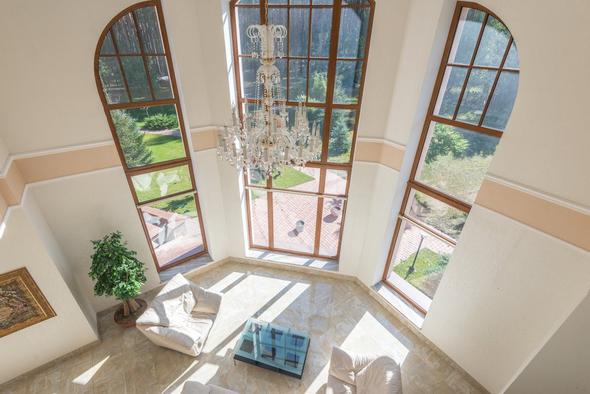
Consider a birds’ eye view
Step 7: Policies
In this step, you specify what policies you feel comfortable with at most. For example, when a guest cancels a booking?
Cancellation Policy
3 days before arrival: You can cancel free of charge within 3 days before your arrival. You will be charged the total price if you cancel after 3 days before arrival.
14 days before arrival: You can cancel free of charge within 14 days before your arrival. You will be charged the total price if you cancel after 14 days before arrival.
Prepayment Policies
Credit Card Type: Visa, Amex, Mastercard options
Type of Payment: Credit Card or Cash (By default, it is usually cash payments, you can choose either one)
Non-refundable Rate Plan
This policy permits to lower the rates or offer discounts to occupancies who are confirmed 100% however cancellations are still possible. In that case, you are allowed to charge the occupancy with ‘No Show’ and still give the availability to other guests.
Tax Details
It allows you to decide whether the rates include taxes such as VAT or city tax though there may be applicable fees like Tourist Tax that may be possibly charged.
Additional Charges
This policy includes cleaning charges and damage fees in securing the property. This allows property managers/owners to have control and flexibility.
Step 8: Verification
Once it is all finalized, booking.com then reviews your property and sends an email confirming whether your property has been approved. At the same time, you will receive another email that will link you to Booking.com Extranet Dashboard that allows you to manage your property and availability. You will also have an opportunity to analyze records of your past, future reservations to better understand your property’s performance.
How Can Hostaway Help?
Hostaway is the fastest-growing property management company globally. By joining Hostaway, you have the opportunity to save time and focus on more bookings. It offers:
Managing multiple listings on different platforms, such as Booking.com, Airbnb, and VRBO, all in one place with our vacation rental channel manager.
Connect with Revenue Management Partners such as Beyond Pricing, Wheelhouse, and Pricelabs
Calendar functionality
Automated tasks such as cleaning management and messaging
On that note, get started and list on booking.com and to ease the load on your shoulders, learn about Hostaway in just a click away! Contact us for further information. All the best to your business!
Additional resources
FAQs
1. How long does it take for a property to go live on Booking.com?
Once you complete your listing and submit it for review, it typically takes a few hours to a couple of days for Booking.com to verify the property and make it available for bookings.
2. Does Booking.com require hosts to accept every booking request?
No. Depending on the settings you choose, you can use instant booking or reservation requests, allowing you to maintain control over which guests stay at your property.
3. Can you sync Booking.com with other vacation rental platforms?
Yes. Many property managers use channel managers or property management systems to synchronize calendars, pricing, and availability across platforms like Airbnb, VRBO, and Booking.com.
4. What factors influence a property’s ranking on Booking.com?
Ranking can be influenced by factors such as pricing competitiveness, guest reviews, response times, availability, and listing quality.
5. Is it possible to temporarily pause your Booking.com listing?
Yes. Hosts can temporarily close availability on certain dates or pause bookings through the Booking.com Extranet if the property is unavailable.
Ready to find out how Hostaway can transform your business?